 Gabri
Gabri
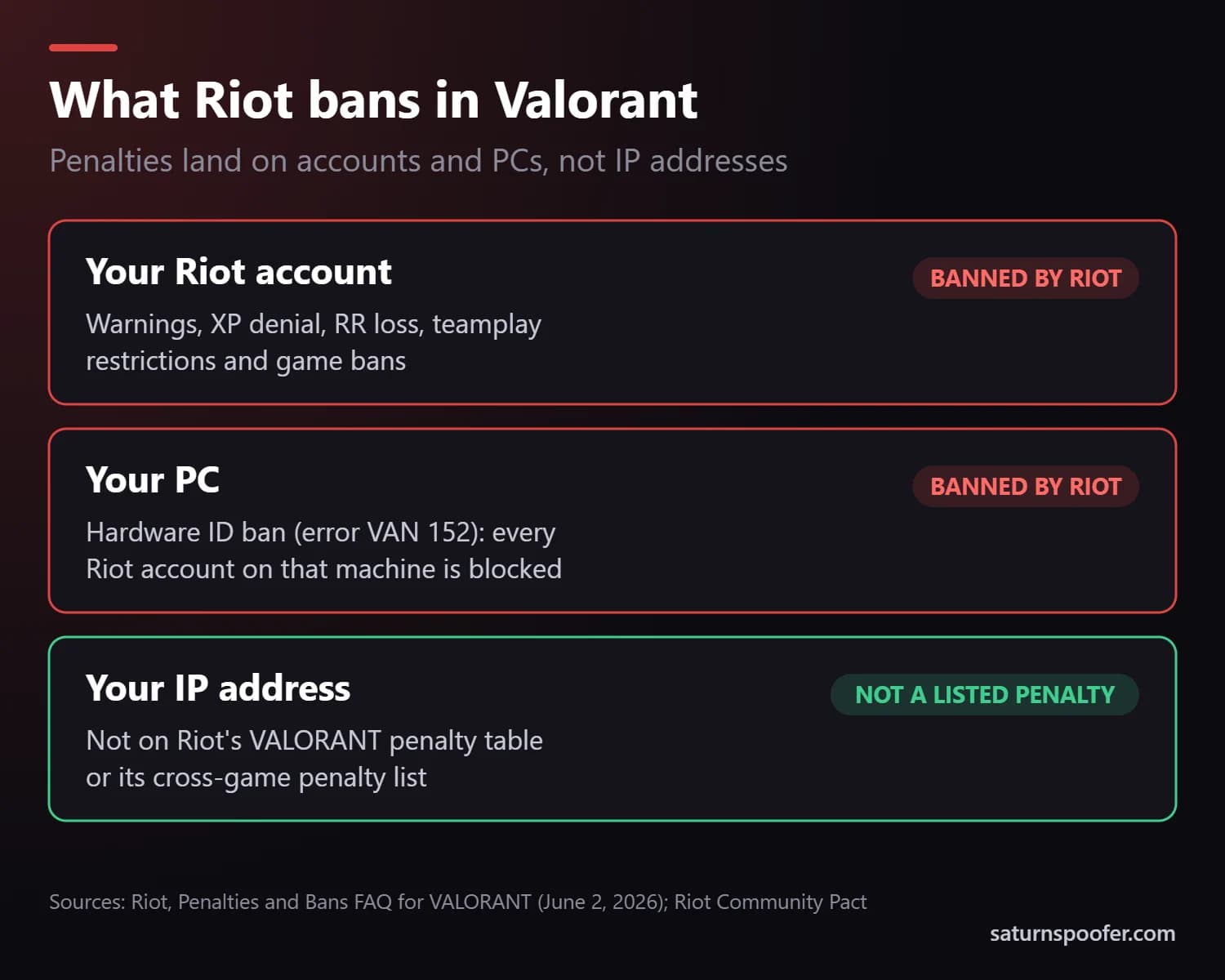
Valorant doesn't ban IP addresses as a listed penalty. The Penalties and Bans FAQ Riot keeps for VALORANT, updated June 2, 2026, names five penalties, from a warning up to a game ban of 7 days to permanent, and none of them is tied to an IP address. Riot's cross-game Community Pact lists six penalty types, and the two heaviest land on a single account or a physical device, not on a network.
IP addresses do come up in one documented place. In November 2020, Riot started blocking "a few of the highest volume VPN services" for players reaching its games across regions. That's a block on VPN services, not a penalty on your home connection. Below: what Riot bans instead, why so many players are sure they were IP banned, and where a VPN helps or hurts.
Does Valorant Ban Your IP Address?
No. Every penalty Riot lists for Valorant lands on your account or your PC. This is Riot's own VALORANT penalty table:
| Penalty | What it stops | How long |
|---|---|---|
| Warning | Nothing yet, it's a caution | n/a |
| XP denial | XP earned in the match | 1 match |
| RR deduction | 6 to 24 RR | 1 match |
| Teamplay restriction | Team modes, leaving solo deathmatch and customs | 3 to 365 days |
| VALORANT game ban | The whole game on that account | 7 days to permanent |
A table with no IP entry doesn't prove Riot never looks at IP data. It does mean an IP ban isn't a penalty Riot tells players about, and no ban code on Riot's VALORANT error code list points to one.
What Riot Bans Instead
Riot aims its penalties at the player behind the account. Its Community Pact says penalties can be applied to your main account "and any other accounts linked to you." In practice they land on one of two things:
- Your account. Game bans and suspensions stop that Riot account. If you log into an alt while your main is restricted, Riot says the same penalty "may be applied to the alt account as well."
- Your PC. A hardware ID ban, shown as error VAN 152, blocks every Riot account on that machine. The Community Pact describes it as preventing play on a "physical device."
Neither one depends on the network you use. A new connection won't lift an account ban, and it won't lift a hardware ban either, because the PC reports the same hardware wherever it's plugged in.
Why It Feels Like an IP Ban
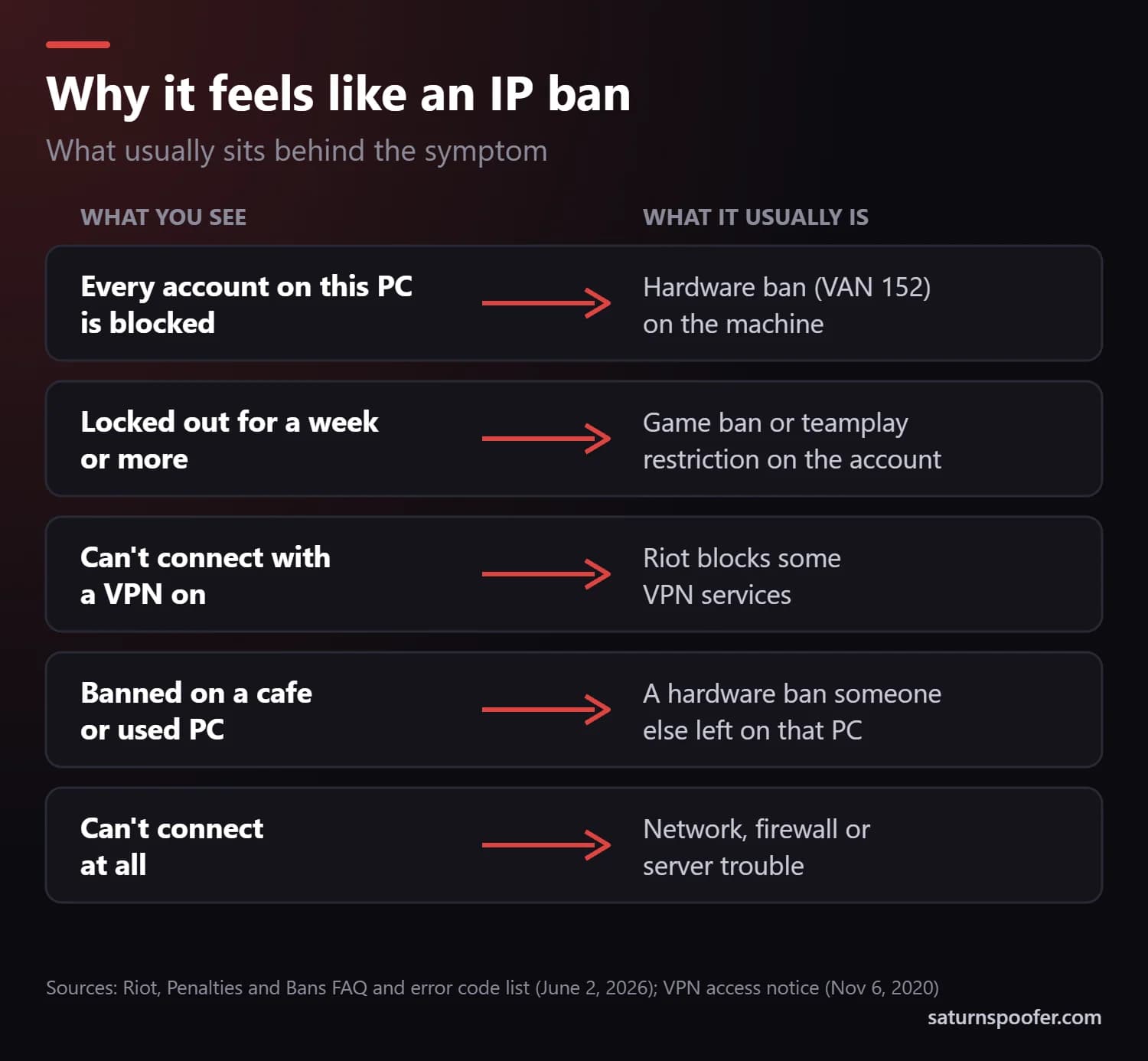
Several real restrictions look like an IP ban from the outside:
- Every account on your PC gets blocked. That's the mark of an HWID ban. It follows the machine, so a fresh account fails there too, and it's easy to blame the connection.
- You're locked out for a week or more. Riot's VALORANT game ban starts at 7 days, and a teamplay restriction can run from 3 to 365 days. Both sit on the account, with a timer.
- You can't connect while a VPN is on. Riot blocks some high-volume VPN services, and its network guide tells players to use a VPN only if it's "100% necessary."
- You were on a shared or secondhand PC. An internet cafe machine, a used PC or a family computer can carry someone else's hardware ban, and any account you sign in with hits it.
- Something is wrong with the network or the servers. Riot's error list uses separate codes for those, such as code 29 for a firewall blocking the game. Riot also warns that a bug is currently mislabeling some errors with the wrong code, so an error such as VAL 5 may not name the real problem.
Players who can still log in but keep landing in rough lobbies often blame a hidden queue instead: a Valorant shadow ban, which isn't on Riot's penalty table either.
Does Riot Ban VPNs?
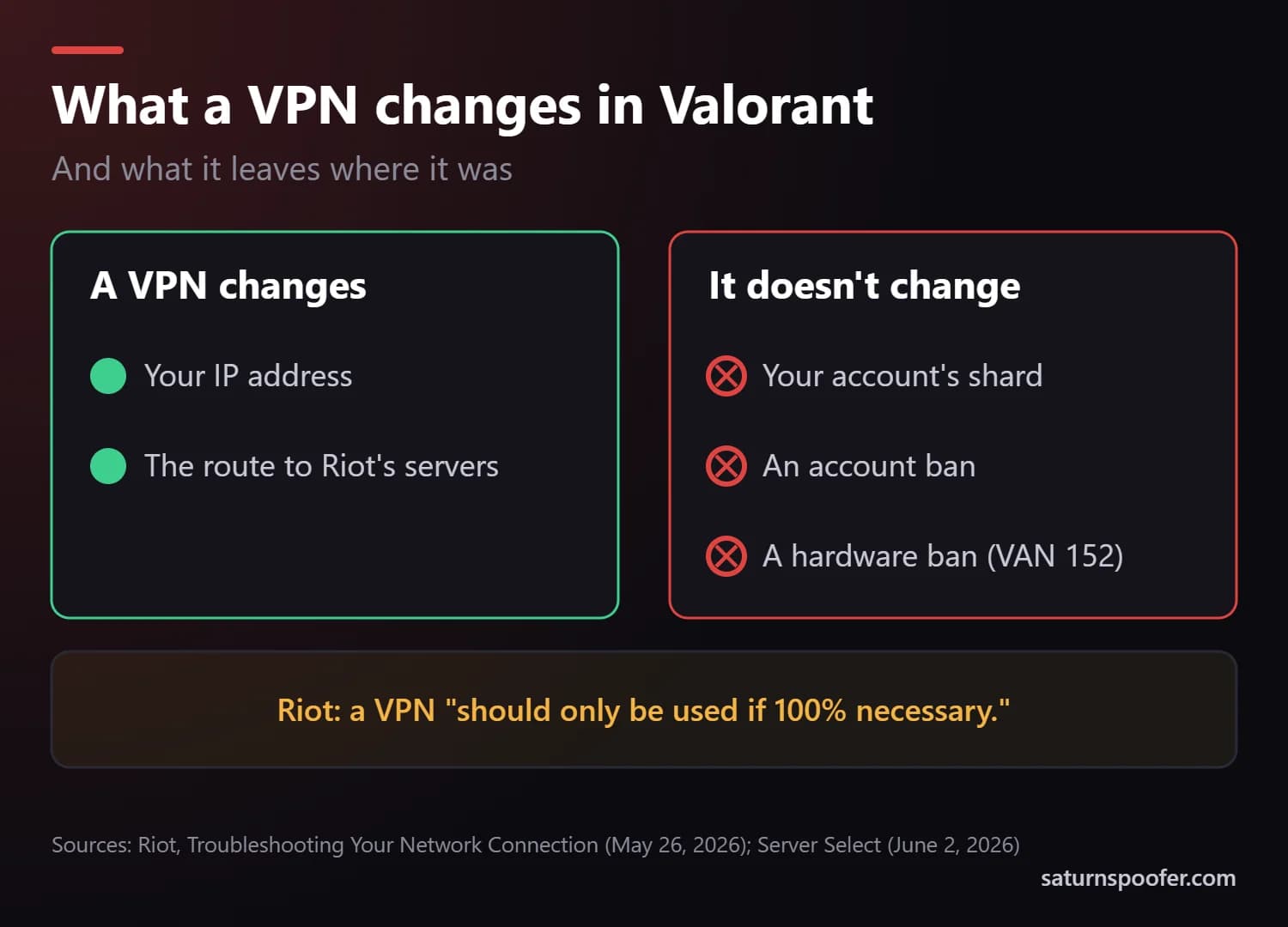
Using a VPN isn't a listed penalty, but Riot does block some VPN services. Its November 2020 announcement cut access from "a few of the highest volume VPN services" for cross-region play, and said players who use a VPN to reach their home region shouldn't be affected.
Two more things change when a VPN is running:
- Your connection gets less predictable. Riot's network troubleshooting guide, updated May 26, 2026, says a proxy or VPN "can cause issues with your connection and should only be used if 100% necessary."
- Your region stays put. Your account's region of residence decides your shard, and Riot's Server Select guide says "you won't be able to change your shard." A VPN changes the path your traffic takes, not the shard at the end of it.
Riot's Terms of Service, last modified December 1, 2024, never mention VPNs by name. They do prohibit "circumventing any technological measure" Riot uses to control access to its services, which puts a VPN used to slip past one of Riot's blocks on shaky ground.
Can a VPN Get You Around a Valorant Ban?
No. A VPN swaps your IP address, and Valorant bans aren't placed on IP addresses. An account ban stays on the account from any network, and a hardware ban stays on the PC. Jumping to a second account to dodge a penalty can spread it, since Riot applies restrictions to linked alts.
When the real problem is a VAN 152 hardware ban, you have two routes: ask Riot to take another look, or change the identifiers the PC reports, which is what an HWID spoofer does. Saturn's HWID spoofer for Valorant does the second. Spoofing doesn't clear the ban from Riot's side and runs against Riot's Terms of Service, so start with the review.
Can't Connect to Valorant? Check These First
- Read the error code. VAL 61 and VAN 152 are ban codes. Most other codes point to your setup or to Riot's servers.
- Turn off any VPN or proxy and try your normal connection.
- Restart your router and your PC to refresh the connection.
- Let VALORANT through your firewall. Riot's list ties code 29 to a firewall blocking the game.
- Check status.riotgames.com for outages or maintenance in your region.
- Open a ticket with Riot Support if none of that works, and attach logs, since some errors currently show the wrong code.
Valorant IP Ban FAQ
Does Riot give IP bans?
Riot doesn't list IP bans among its penalties. Its VALORANT penalty table and its cross-game Community Pact cover warnings, restrictions, suspensions and hardware bans, and each of those targets an account or a device.
Are VPNs banned in Valorant?
Using a VPN isn't a listed penalty, but Riot blocks some high-volume VPN services and recommends one only when it's "100% necessary." Using a VPN to get around a Riot block runs into the Terms of Service.
Can I get my IP unbanned?
Riot doesn't list an IP ban, so there's usually nothing to lift. If you can't connect, turn off any VPN, restart the router and check the error code. If it's a ban code, you can appeal a Valorant ban on the account or the PC through Riot Support.
Can you use a VPN on Valorant?
You can, but Riot doesn't recommend it for normal play. A VPN adds a stop between you and Riot's servers, won't move your account to another shard, and may run into one of the VPN services Riot blocks.
Does League of Legends IP ban?
No IP ban appears on Riot's lists for League either. League uses the same Riot account and the Community Pact's penalty types, hardware bans included, and a League HWID ban sits on the PC, not the connection.
Can I play Valorant at an internet cafe where someone was banned?
Yes, unless that PC carries a hardware ban. A hardware ban follows the machine, so any account signed in on it hits VAN 152. Move to another PC rather than risk a penalty on your own account.