 Gabri
Gabri
Error code VAL 5 in Valorant means your Riot account was logged in somewhere else, and Riot's fix is to log out of every device. It is not a ban. Riot's error code list for VALORANT, last updated June 2, 2026, gives code 5 a single meaning, "Account was logged into elsewhere," and a single solution: "You should log out from all devices." Bans use their own codes, VAL 61 for an account and VAN 152 for a PC.
One thing changed this month. A notice on Riot's support site, last updated September 22, 2026, says VALORANT "is displaying the wrong error code for various errors due to a recent bug," and Riot now marks its own error list as out of date. So if VAL 5 keeps coming back after you've logged out everywhere, the code on your screen may not be the real error. The steps below run from the quick fix Riot recommends to a support ticket with logs.
What Does Error Code VAL 5 Mean?
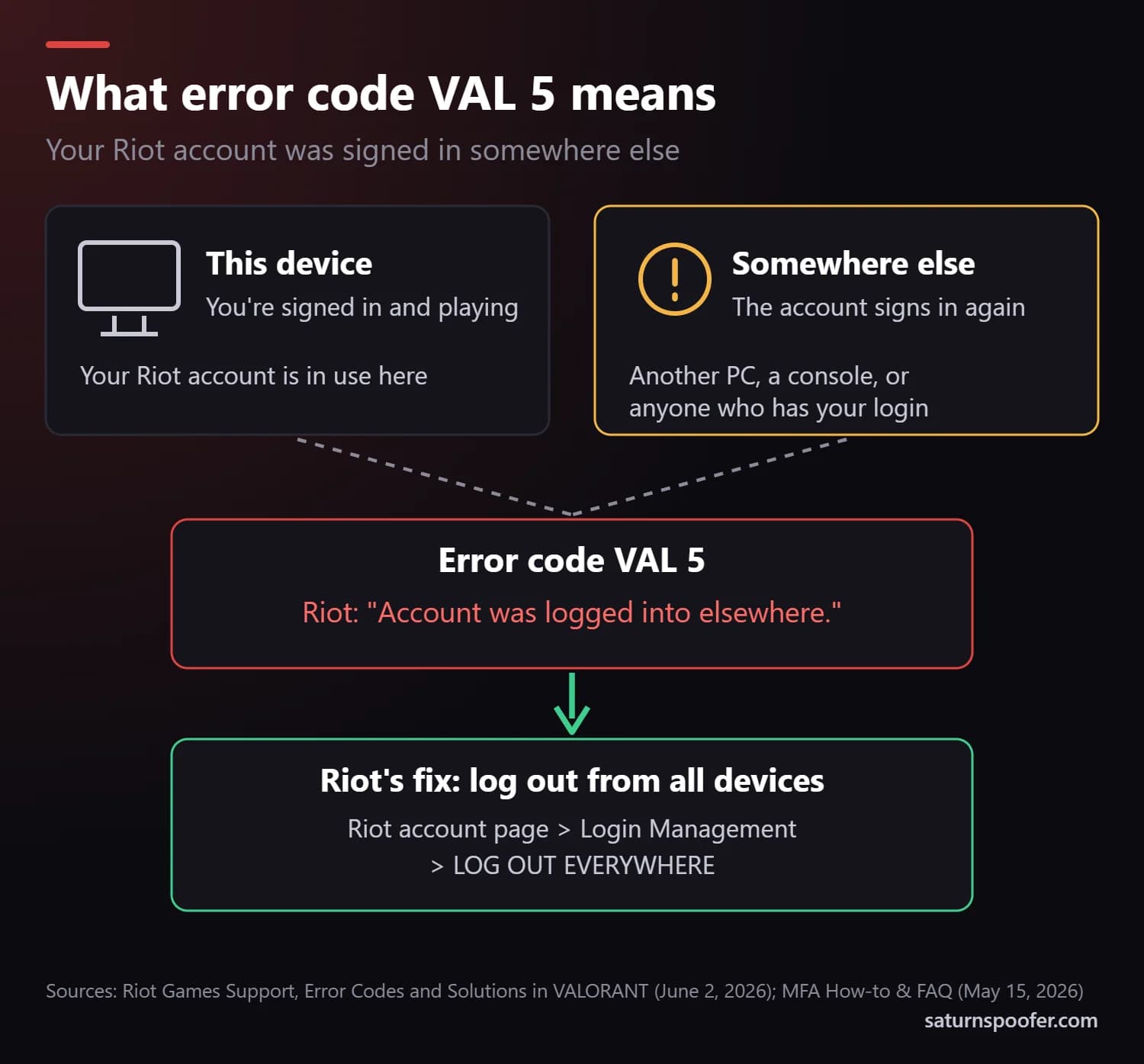
VAL 5 is the error Valorant shows when your Riot account is signed in somewhere else at the same time. Riot's wording is "Account was logged into elsewhere." The other login can be a second PC, a console, a Riot Client left signed in at a friend's place, or someone else who knows your password.
Because the conflict sits on your account, Riot's fix works at the account level rather than on your network: sign every other session out, then sign back in on the device you want to play on.
Is VAL 5 a Ban?
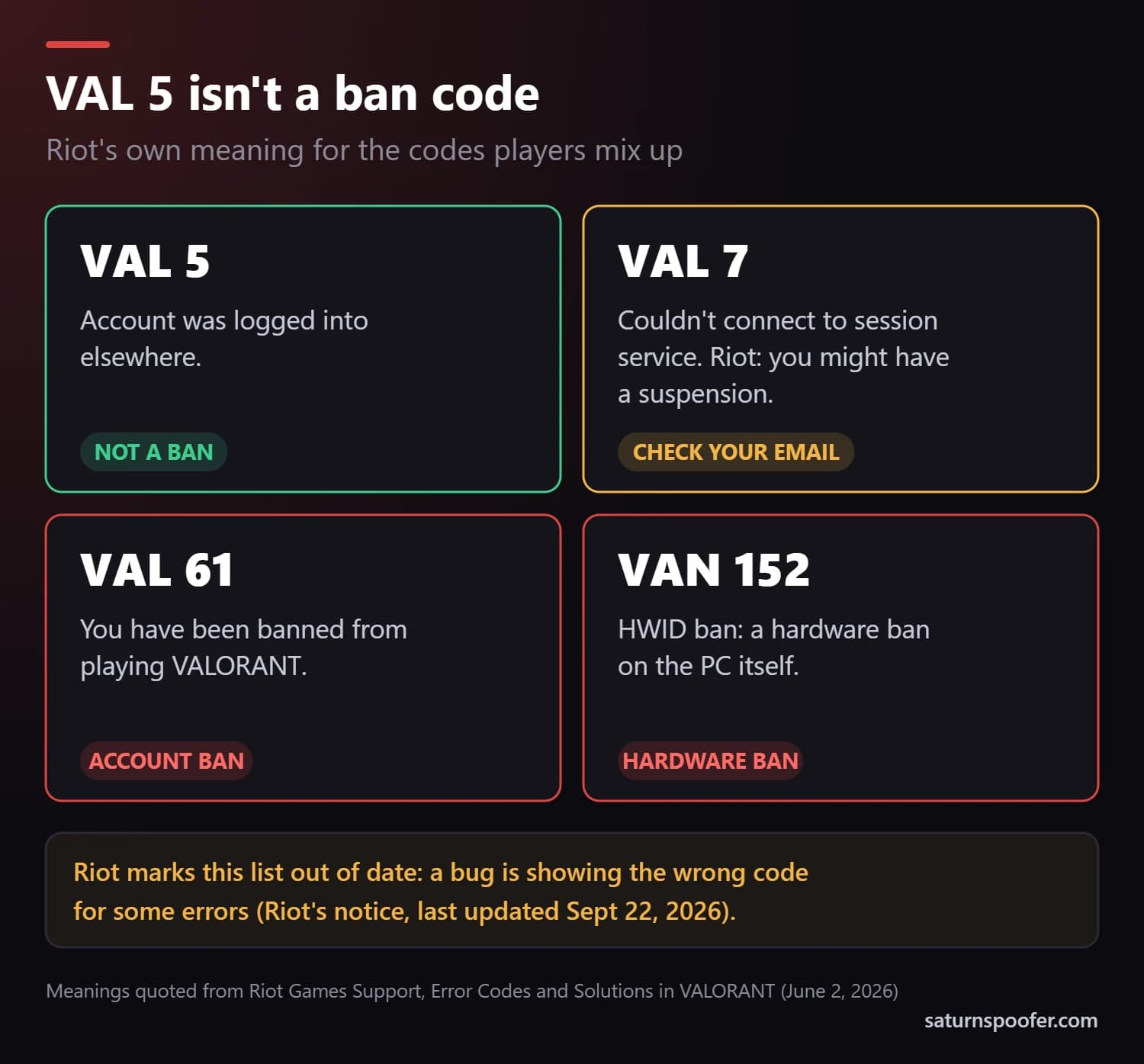
No, VAL 5 is not a ban. Riot's error list gives it a login meaning and uses separate codes when an account or a PC is restricted:
| Code | Riot's meaning | A ban? |
|---|---|---|
| VAL 5 | Account was logged into elsewhere | No |
| VAL 7 | Couldn't connect to session service; you might have a suspension | Maybe, check your email |
| VAL 61 | You have been banned from playing VALORANT | Yes, the account |
| VAN 152 | HWID ban | Yes, the PC |
If your screen shows VAL 61 or VAN 152, you're past troubleshooting, so skip to the ban section further down. VAL 7 sits in between. Riot's list says it can mean a suspension and tells you to check your email, so look there first.
Why You Get VAL 5 When Nobody Else Is Signed In
If you're sure you're signed in only once, check these:
- A session you forgot. A Riot Client still running on another PC or laptop, or a console linked to the same Riot account, counts as a login.
- Someone else with your password. A shared, sold or leaked login lets another person sign in, and that counts as "elsewhere" too.
- An outage on Riot's side. Riot's status page lists outages and maintenance, and nothing you change on your PC helps while one is running.
- A different error behind the code. Riot's current notice says a bug makes VALORANT show the wrong error code for various errors, so another problem can surface as VAL 5.
How to Fix VAL 5 on PC
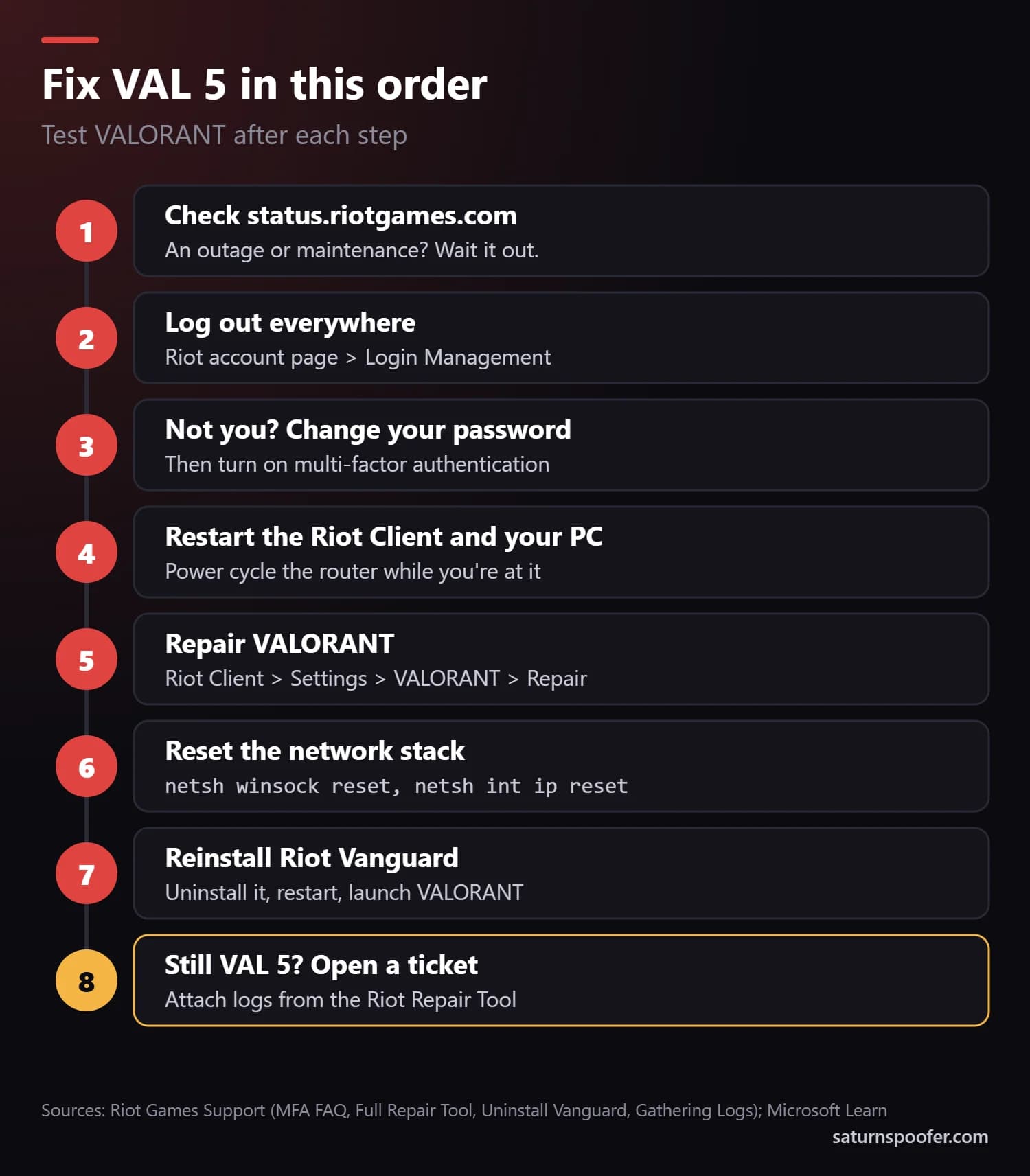
Test Valorant after each step. Step 2 is Riot's own fix for code 5. The others are standard Riot Client and Windows fixes, worth running while the code on screen may be wrong.
- Check Riot's server status. Open status.riotgames.com and look at VALORANT. If there's an outage or maintenance, wait for it to end before changing anything on your PC.
- Log out everywhere. Sign in to your Riot account page, find the Login Management card and click LOG OUT EVERYWHERE. According to Riot's multi-factor authentication FAQ, this signs out every device and removes its trusted status. Then sign in again on the one device you're playing on.
- Lock the account down if the other login wasn't yours. Change your password, then turn on multi-factor authentication from the same account page. Every new sign-in then needs a six-digit code from your email or the Riot Mobile app.
- Restart the Riot Client and your PC. Exit the Riot Client from the system tray so it isn't still running in the background, restart the PC and power cycle your router.
- Repair VALORANT. In the Riot Client, click your profile icon, choose Settings, select VALORANT and click Repair. Riot's repair tool guide says it fixes missing or corrupted files.
- Reset the Windows network stack. Open Command Prompt as administrator and run
netsh winsock reset,netsh int ip reset,ipconfig /release,ipconfig /renewandipconfig /flushdnsone at a time, then restart. Microsoft documents the TCP/IP reset on its support site. - Reinstall Riot Vanguard. Right-click the Riot Vanguard icon in the system tray, choose Advanced, then Uninstall Vanguard, or remove Riot Vanguard from Add or Remove programs. Restart the PC and open the Riot Client, which reinstalls Vanguard automatically, per Riot's Vanguard guide.
- Open a ticket with logs. If VAL 5 survives all of that, run the Riot Repair Tool as administrator, choose VALORANT and attach the .zip file it creates to a support ticket. Riot's notice asks for logs "so we can find the right error."
How to Fix VAL 5 on PS5 and Xbox
VAL 5 isn't limited to PC. One PS5 player on the official VALORANT Discord described reaching the home screen, then getting kicked with VAL 5 whenever they tried to load into a match or practice.
The fix starts in the same place because the error belongs to your Riot account, not the console. Log out everywhere from the Riot account page on a phone or computer, restart the console and your router, then sign back in. The PC-only steps above (Repair, the network reset and reinstalling Vanguard) don't apply on a console. If VAL 5 returns, open a ticket and name the console you play on.
What to Do When VAL 5 Keeps Coming Back
A VAL 5 that returns after you've logged out everywhere, on a device nobody else touches, fits what Riot's current notice describes: the game may be showing the wrong code. Don't reinstall Windows or replace parts over it. Collect logs with the Riot Repair Tool and let Riot's agents find the real error in them.
Check the email on your Riot account while you wait. Riot's list ties a possible suspension to VAL 7, not VAL 5, and it points players to their email for the details. Some players blame a VAL 5 that keeps coming back on a Valorant shadow ban, a penalty Riot doesn't list.
What If It's a Real Ban?
A real ban shows a ban code, so the code decides your next step:
- VAL 61 means the account is banned. If you were falsely banned on Valorant, the next step is a Valorant appeal: a Player Support ticket asking Riot to reverse the ban.
- VAN 152 means the PC itself is banned, so every Riot account on that machine hits it. Riot's error list puts a typical VAN 152 ban at four months, with longer bans for repeat or serious cases. Getting out of a Valorant HWID ban starts with asking Riot for a re-evaluation.
Some players with a VAN 152 ban turn to an HWID spoofer for Valorant, a program that swaps the hardware identifiers a PC reports. Saturn is one. A spoofer leaves Riot's ban record as it is, and Riot's Terms of Service forbid using one, so try the re-evaluation first.
Valorant VAL 5 FAQ
Is VAL 5 a ban?
No. Riot's error list defines VAL 5 as "Account was logged into elsewhere." An account ban shows VAL 61 and a hardware ban shows VAN 152.
How long does the VAL 5 error last?
VAL 5 isn't a timed penalty. It's tied to the other session, and Riot's fix is to log out from all devices. If the error survives that, the code itself may be wrong, since Riot says a bug is showing the wrong code for some errors.
Can someone else logging into my account cause VAL 5?
Yes. Any other login on your Riot account counts as "logged into elsewhere," including someone who knows your password. Log out everywhere, set a new password and switch on multi-factor authentication.
Does a VPN cause VAL 5?
Riot's error list doesn't name VPNs as a cause of VAL 5. Turn yours off while you troubleshoot anyway, so there's one less thing between you and Riot's servers. If you're worried about Valorant IP bans, Riot's ban codes point at the account (VAL 61) and the PC (VAN 152), not your IP address.
Why do I get VAL 5 on PS5 or Xbox?
For the same reason as on PC: your Riot account is signed in somewhere else. Log out everywhere from the Riot account page, restart the console and router, and open a ticket if it comes back.
What is the difference between VAL 5 and VAN 152?
VAL 5 is a login conflict you can clear yourself. The VAN 152 error is a hardware ban on the PC: every Riot account on that machine hits it, and restarting or reinstalling won't remove it.